Introduction
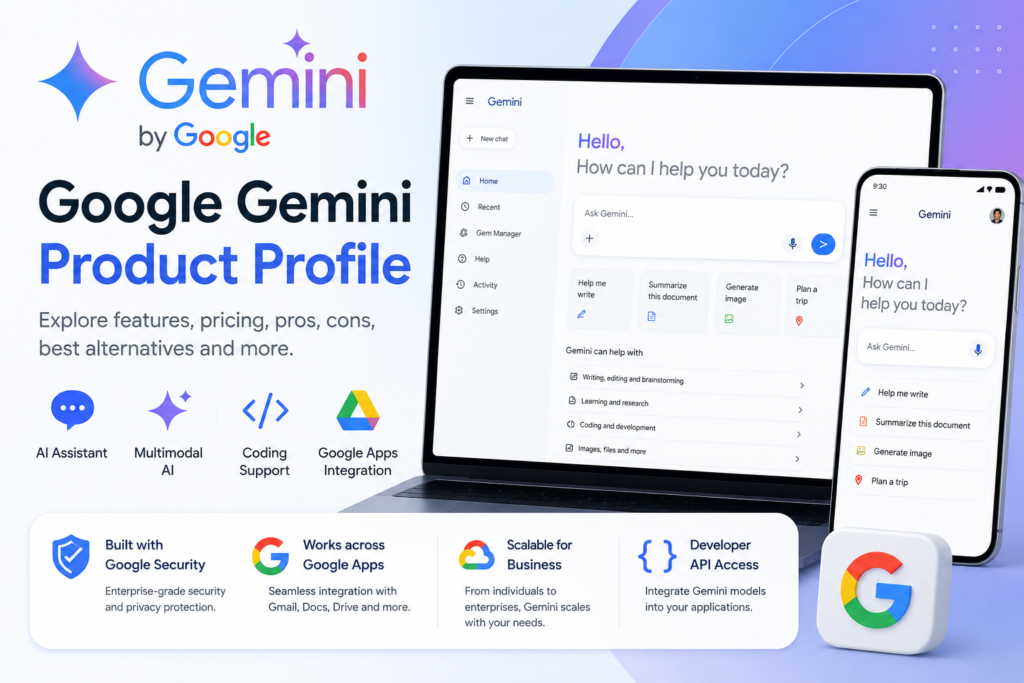
Google Gemini is a generative and multimodal artificial intelligence assistant developed by Google for writing, research, coding, planning, image creation and everyday productivity. It can work with multiple forms of information, including text, images, audio, video and uploaded files, while its integration with Google services makes it particularly useful for people who regularly use Gmail, Google Docs, Drive, Maps, YouTube and Android devices. Users can learn more about the company through the official Google website and access the assistant directly through the official Google Gemini website. You can also compare it with our ChatGPT Product Profile and Claude Product Profile to understand how the leading AI assistants differ.
Google Gemini Product Profile
A compact overview of Google Gemini’s identity, features, pricing, intended users, alternatives, advantages, limitations, security and competitive position.
1. Google Gemini Identity and Product Category
Google Gemini is a generative artificial intelligence assistant developed by Google. It processes natural-language instructions and can generate explanations, drafts, summaries, images, research findings, code and other structured outputs.
Gemini belongs primarily to the generative AI, conversational AI and multimodal AI categories. Its integration with Google services also positions it as a productivity assistant, research tool, developer platform and enterprise AI solution.
2. Main Google Gemini Features
Conversational Assistance
Answers questions, explains concepts and follows instructions through natural-language conversations.
Writing and Editing
Drafts, rewrites, summarizes and improves emails, articles, reports and other written material.
Multimodal Understanding
Works with text, images, audio, video and supported uploaded files in compatible Gemini experiences.
Deep Research
Investigates complex subjects and organizes findings into detailed, structured research reports.
Gemini Live
Supports natural spoken conversations and selected camera or screen-sharing experiences on compatible devices.
Image Generation
Generates and edits visual content through supported Google image-generation models and interfaces.
Coding Support
Generates, explains, reviews and troubleshoots code across multiple programming languages.
Google App Integration
Connects with supported Google services such as Gmail, Docs, Drive, Maps and YouTube.
Developer API
Allows developers to integrate Gemini models into applications, products, agents and business systems.
3. Google Gemini Pricing Structure
| Plan Type | Designed For | Pricing Structure | General Positioning |
|---|---|---|---|
| Free | Occasional and first-time users | Free with a Google Account | Everyday Gemini access with variable model, feature and usage limits. |
| Google AI Plus | Budget-conscious regular users | Starting at approximately $4.99 per month (US), varies by region | Higher access than the Free plan, with additional AI features and cloud storage. |
| Google AI Pro | Professionals and frequent users | Starting at approximately $19.99 per month (US), varies by region | Higher access to advanced Gemini models, research tools and Google application integrations. |
| Google AI Ultra | Heavy individual and advanced users | Starting at approximately $99.99 per month (US), varies by region | Google’s highest individual access level, including larger limits and premium AI capabilities. |
| Google Workspace | Companies and professional teams | Per-user business subscription | Gemini features inside supported Google Workspace applications and organizational workflows. |
| Enterprise | Large organizations | Business or custom pricing | Enterprise administration, security, governance and scalable AI deployment. |
| Gemini API | Developers and software companies | Free and usage-based tiers | Programmatic model access for applications, agents and automated workflows. |
4. Best-Fit Users and Google Gemini Alternatives
Google Gemini Is Best For
- Google Workspace users
- Android smartphone and tablet users
- Writers and content creators
- Students, educators and researchers
- Software developers and technical teams
- Marketing and business professionals
- Users requiring multimodal AI capabilities
- Organizations using Google Cloud services
Popular Google Gemini Alternatives
Alternative products may be considered according to ecosystem integration, writing quality, coding capabilities, research features, privacy requirements and subscription pricing.
5. Google Gemini Pros and Cons
Pros
- Strong integration with Google’s applications and services.
- Supports text, images, audio, video and files.
- Provides useful research, writing and coding capabilities.
- Available through web, Android, iPhone and iPad.
- Offers free access for everyday users.
- Provides paid plans for advanced individual and professional use.
- Offers API access for developers and businesses.
Cons
- Some advanced features require a paid Google AI subscription.
- Feature availability varies by country, language and account type.
- Gemini can produce incorrect or fabricated information.
- Important answers still require human verification.
- Some capabilities depend heavily on Google’s ecosystem.
- The highest individual plan may be expensive for many users.
- API costs can increase for high-volume applications.
Google Gemini Security and Privacy
Individual Use
Individual users should review Gemini Apps Activity, connected-app permissions and Google Account privacy settings before submitting personal, confidential or commercially sensitive information.
Data handling may vary according to the account, activity settings, service and Gemini feature being used.
Business and Enterprise Use
Business-focused Google Workspace and Google Cloud services may provide additional administration, security, access-management and data-governance controls.
Organizations should review Google’s current privacy, retention, compliance and security documentation before deployment.
Google Gemini vs ChatGPT vs Claude
| Product | Developer | General Strength | Common Best Fit | API Availability |
|---|---|---|---|---|
| Google Gemini | Multimodal AI and Google ecosystem integration | Google Workspace, Android, research and multimodal productivity | Yes | |
| ChatGPT | OpenAI | Broad multipurpose AI capabilities and tools | Writing, coding, research, analysis and general productivity | Yes |
| Claude | Anthropic | Writing, reasoning and document-focused work | Long-form writing, document analysis, research and coding | Yes |
Frequently Asked Questions
What is Google Gemini?
Google Gemini is a generative and multimodal AI assistant developed by Google. It can assist with writing, research, coding, planning, image generation, document analysis and many other personal and professional tasks.
Who developed Google Gemini?
Google Gemini was developed by Google, with its underlying AI models created through Google DeepMind and other Google AI teams.
When was Google Gemini released?
The Gemini-branded assistant was officially introduced on February 8, 2024, when Google renamed its Bard conversational AI service as Gemini.
Is Google Gemini free?
Yes. Google provides free access to Gemini with a Google Account. Paid Google AI plans are also available for users who require higher limits, more advanced models and additional features.
How much does Google Gemini cost?
Gemini has a free tier. Google AI Pro is generally priced at approximately $19.99 per month in the United States, while Google AI Ultra currently starts at approximately $99.99 per month. Prices and plan availability may differ by country.
Does Google Gemini have an API?
Yes. Google provides the Gemini API for developers who want to integrate Gemini models into applications, agents, websites and automated business workflows. API access includes free and usage-based pricing tiers.
What platforms support Google Gemini?
Google Gemini is available through its web application, Android mobile application and dedicated iPhone and iPad application. Some capabilities are also integrated into selected Google Workspace and Google Cloud products.
What is Google Gemini best used for?
Gemini is commonly used for writing, brainstorming, research, coding, planning, summarization, image creation, learning and productivity tasks connected to Google services.
Can Google Gemini analyze images and files?
Yes. Gemini is designed as a multimodal AI system and can work with supported images, files, audio and video in compatible interfaces and plans.
Is Google Gemini better than ChatGPT?
Neither platform is universally better. Gemini may be preferable for users who depend heavily on Google Workspace, Android and other Google services, while ChatGPT may appeal to users seeking OpenAI’s wider ecosystem of tools and custom workflows.
Is Google Gemini better than Claude?
Gemini may be a better fit for Google ecosystem integration and multimodal tasks, while Claude is often selected for document-heavy work, long-form writing and structured analysis. The right choice depends on the user’s workflow.
Can Google Gemini produce incorrect information?
Yes. Gemini can occasionally generate inaccurate, incomplete or fabricated information. Important facts and decisions should be verified through dependable sources.
Final Verdict
Google Gemini is a powerful AI assistant for users who want generative AI capabilities combined with close integration across Google’s ecosystem. Its ability to work with text, images, audio, video and files makes it suitable for writing, research, coding, planning, learning and creative work. Gemini is especially valuable for people who regularly use Android, Gmail, Google Docs, Drive and other Google services. Although advanced features and higher usage limits may require a paid subscription, and its responses can still contain errors, Gemini remains one of the strongest alternatives to ChatGPT and Claude. Overall, it is a practical choice for individuals, developers and organizations seeking a capable multimodal AI assistant supported by Google’s broader technology platform.