Choosing between cloud ERP and on-premise ERP shapes nearly everything about your implementation — the upfront cost, who manages security, how fast you can scale, and how much control your IT team retains. Yet most businesses pick based on whatever a vendor pitched first, without actually comparing the two models against their own situation.
This guide breaks down cloud ERP vs on-premise ERP honestly: what each approach actually costs over time, how they differ on security and data control, when SaaS ERP makes more sense than a custom-built system, and where the market is heading as more companies shift deployment models. By the end, you’ll have a clear framework for deciding which fits your business, instead of defaulting to whichever option sounded easier in a sales call.
What’s the Difference Between Cloud and On-Premise ERP?
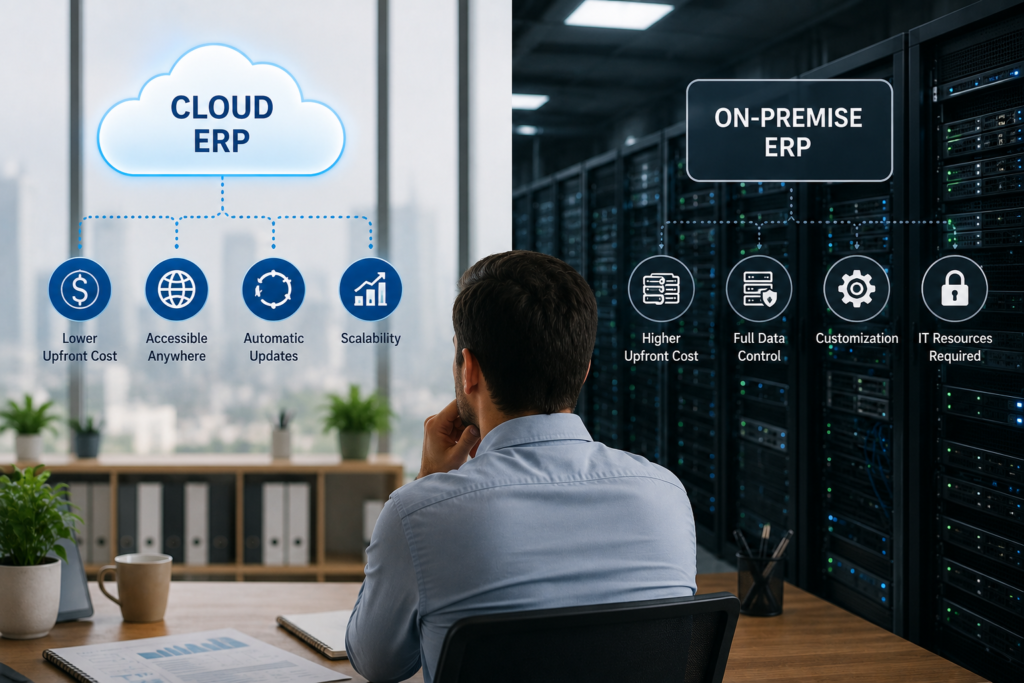
At the core, the difference comes down to where the system actually lives and who’s responsible for keeping it running. That single decision cascades into everything else — cost structure, who manages updates, how quickly you can add users, and how much control your team has over the underlying infrastructure. Understanding this cloud ERP vs on-premise ERP distinction is the foundation everything else in this guide builds on.
How Cloud ERP Works
Cloud ERP runs on the vendor’s servers, accessed through a browser or app rather than installed on your own machines. The vendor handles hosting, security patches, updates, and backups as part of your subscription. You pay a recurring fee, typically per user per month, and new features roll out automatically without your team lifting a finger. Access works from anywhere with an internet connection, which is part of why cloud ERP has become the default choice for most small and mid-sized businesses.
How On-Premise ERP Works
On-premise ERP runs on servers your company owns and maintains, either on-site or in a data center you control. Your IT team handles installation, security, updates, and backups directly. This gives you full control over the infrastructure and data, but it also means the responsibility — and the cost of that responsibility — sits entirely with you. Updates don’t happen automatically; someone has to schedule and manage them
Cost Comparison: Upfront vs Long-Term
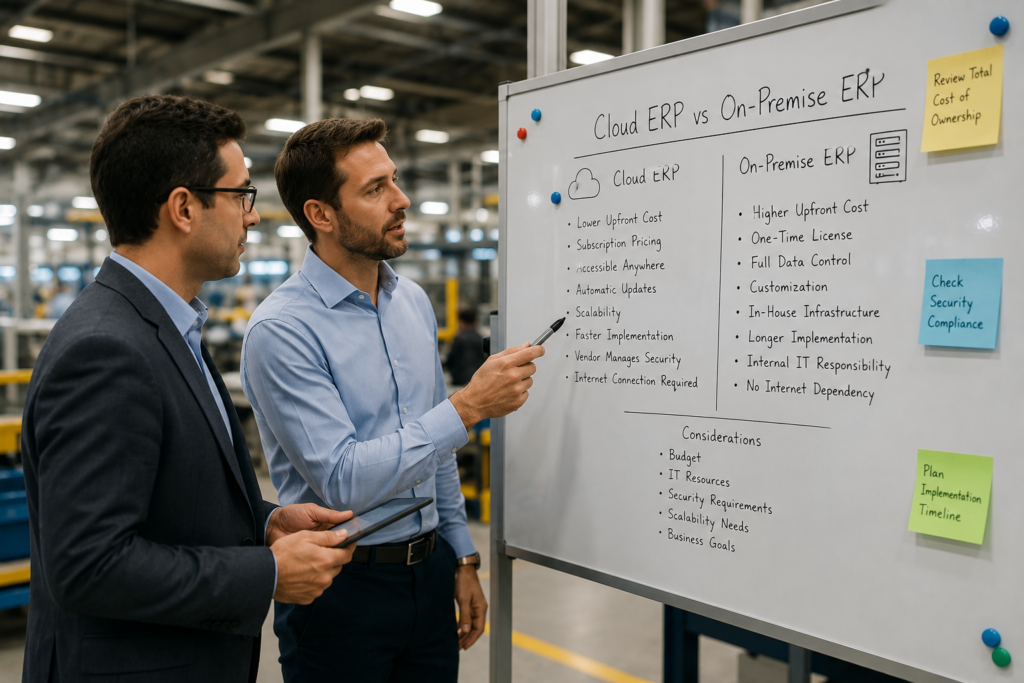
In the cloud ERP vs on-premise ERP cost comparison, the two models don’t just cost different amounts — they cost money in completely different shapes. Cloud ERP spreads cost out as an ongoing subscription; on-premises ERP front-loads it into a large upfront investment. Comparing them fairly means looking at total cost over several years, not just the first invoice.
Cloud ERP Costs
Cloud ERP typically runs $50-$200 per user per month, with minimal upfront cost since there’s no hardware to buy. That makes it far more accessible for businesses without a large capital budget. Over 3-5 years, though, the recurring fees can add up to a similar or even higher total than an on-premise system — the tradeoff is predictability and lower risk, not necessarily a lower lifetime cost.
On-Premise ERP Costs
On-premise ERP requires a significant upfront investment — often $15,000-$100,000+ depending on company size — covering software licenses, servers, and implementation. After that, ongoing costs drop to maintenance, IT staff time, and periodic hardware upgrades. For businesses with the capital and in-house IT expertise, this can be cheaper over a long enough timeline, but it concentrates financial risk into the first year instead of spreading it out.
SaaS ERP vs Custom-Built ERP
This is a related but separate decision from cloud vs on-premise — you can run a SaaS product in the cloud, or pay a developer to build you a custom system that’s also cloud-hosted. The real question here isn’t where the system lives, but whether you’re buying a pre-built product or commissioning something made specifically for your business.
When SaaS ERP Makes Sense
For most small and mid-sized businesses, SaaS ERP is the practical choice. You’re buying a proven product used by thousands of other companies, with established support, regular updates, and a much faster implementation timeline. It fits standard business processes well and costs a fraction of custom development. Unless your operations are genuinely unusual, a SaaS platform’s built-in flexibility can typically accommodate your needs without custom code.
When Custom-Built ERP Makes Sense
Custom-built ERP makes sense when your business processes are so specific that no off-the-shelf product fits — think highly specialized manufacturing workflows or regulatory requirements unique to your industry. It’s expensive, often $100,000+, and takes far longer to implement, but you get a system built exactly around how your company actually operates. This route only pays off when the mismatch between standard software and your real workflow would otherwise cost more in workarounds than the custom build itself.
Security & Data Control
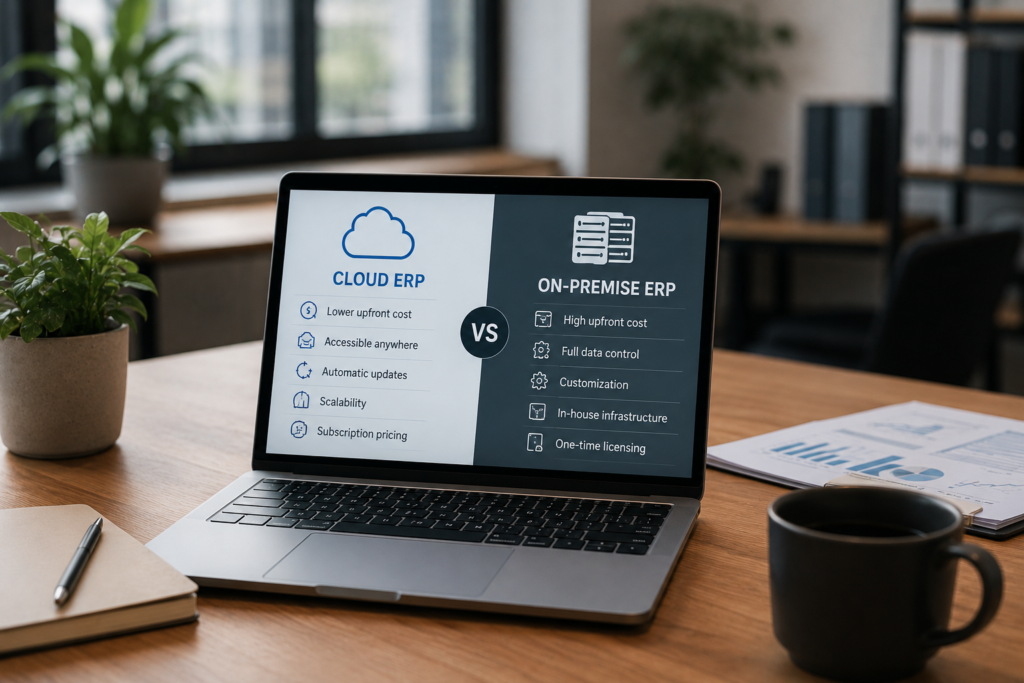
Security is one of the most misunderstood parts of the cloud ERP vs on-premise ERP decision — it’s rarely about which one is inherently safer. Security works differently under each model, not necessarily better or worse — it’s a question of who’s responsible and where your data physically sits. Understanding that split matters more than assuming one option is automatically safer than the other.
Cloud Security Considerations
Cloud ERP vendors typically invest heavily in security — encryption, redundant backups, and dedicated security teams most small businesses could never afford on their own. The tradeoff is that your data lives on someone else’s servers, so you’re trusting the vendor’s practices and need to confirm they meet any compliance standards your industry requires. Multi-factor authentication and careful permission settings on your end still matter, since most breaches happen through compromised logins, not vendor infrastructure.
On-Premise Security Considerations
On-premise ERP keeps data entirely within your own infrastructure, which appeals to businesses with strict data residency or compliance requirements. But that control comes with full responsibility — your team has to handle patching, monitoring, and breach response without a vendor’s security team backing you up. Smaller businesses without dedicated IT security staff often end up less protected on-premise than they would be on a well-run cloud platform, despite having more theoretical control.
Which Businesses Should Choose Cloud vs On-Premise
The cloud ERP vs on-premise ERP decision ultimately comes down to your business’s specific situation, not a universal best answer.
Choose Cloud ERP If…
You’re a small or mid-sized business without a dedicated IT security team. You want predictable monthly costs instead of a large upfront investment. Your team works remotely or across multiple locations. You need to get up and running in weeks, not months.
Choose On-Premise ERP If…
You operate in a heavily regulated industry with strict data residency requirements. You already have in-house IT staff capable of managing infrastructure and security. You have the capital to absorb a large upfront cost in exchange for long-term savings. Your operations are stable enough that you won’t need to scale users up or down quickly.
ERP Market Trends & Where Deployment Is Heading
The Shift Toward Cloud and SaaS
Most new ERP implementations now default to cloud or SaaS, not on-premise. Vendors are investing their development budget into cloud platforms first, which means on-premise versions increasingly lag behind on new features. That gap is widening every year, not narrowing.
AI Is Becoming a Standard Layer
Cloud ERP platforms are rolling out AI-driven forecasting, automated data entry, and anomaly detection faster than on-premise systems can match. This is becoming a genuine differentiator, not just a marketing feature — and it’s almost exclusively available on cloud infrastructure.
Hybrid Models Are Emerging
Some vendors now offer hybrid deployments — core financial data on-premise for compliance, with cloud modules for less sensitive functions. This is a niche fit, mainly for regulated industries that need partial cloud benefits without full data migration.
What This Means for New Buyers
Businesses choosing on-premise today should have a specific, defensible reason for it. For most companies, cloud isn’t just cheaper to start — it’s where the ongoing product investment is actually going.
Common Mistakes When Choosing a Deployment Model
Most cloud ERP vs on-premise ERP decisions go wrong for the same handful of reasons.
- Picking based on the sales pitch, not total cost of ownership — vendors emphasize whichever number looks better upfront; always calculate cost over 3-5 years before deciding.
- Choosing on-premise without the IT staff to support it — on-premise security and maintenance require real in-house expertise; without it, you’re often less protected than a well-run cloud platform.
- Assuming cloud means no control — most cloud ERPs offer granular permission settings and data export options; “control” and “cloud-hosted” aren’t mutually exclusive.
- Ignoring compliance requirements until after signing — some industries have data residency rules that rule out certain cloud regions or require on-premise entirely; confirm this before, not after, implementation.
- Underestimating migration cost when switching later — moving from on-premise to cloud (or vice versa) mid-implementation is expensive; get the deployment decision right the first time.
FAQs
Is cloud ERP cheaper than on-premise?
Usually cheaper upfront, but not always over the long term. Cloud ERP avoids large initial costs, while on-premise can become more cost-effective after 5+ years if you have the capital and IT staff to support it. Compare total cost over time, not just the first invoice.
Can you switch from on-premise to cloud ERP later?
Yes, but it’s a real migration project, not a simple upgrade — data has to be cleaned and transferred, and workflows may need reconfiguring. It’s possible and common, but budget time and cost for it rather than assuming a quick switch.
Is SaaS ERP the same as cloud ERP?
Not exactly. SaaS ERP is a pre-built product hosted in the cloud; cloud ERP more broadly includes custom-built systems that also happen to be cloud hosted. Most cloud ERP purchases are SaaS, but the terms aren’t strictly interchangeable.
Closing
The cloud ERP vs on-premise ERP decision, along with SaaS vs custom-built, isn’t a universally right answer — only a right answer for a specific business at a specific stage.Most small and mid-sized companies land on cloud ERP for the lower upfront cost and faster rollout, while regulated industries with in-house IT often have real reasons to stay on-premise. The mistake isn’t picking one over the other — it’s picking without comparing total cost, security responsibility, and where the market is actually investing. Get that comparison right, and the deployment model stops being a gamble.